How to Choose QR Code Packaging Bags?
Choosing a Qr Code Packaging Bag is not just a printing decision. The bag must protect the product, suit its contents, and give customers a code they can scan without frustration. A QR code placed across a fold may look fine on screen, then buckle in a customer’s hand. Small details matter.
Masahiro Hara, the DENSO WAVE engineer credited with developing QR codes, is a useful reference point for this topic. A practical takeaway inspired by his work—not a verbatim quotation—is: “A code is useful only when people can scan it easily.” That principle applies to packaging choices, too. Consider the bag’s material, surface finish, print contrast, and available flat space before approving a design. Test the printed code on a finished bag, not only on a computer display. Check it under ordinary shop lighting and with more than one phone. It can be easy to overlook glare.
This guide will examine how to match bag style and material to the product, place the code where it stays visible, and verify scan performance before production. It will also consider durability, legibility, and the information customers see after scanning. A QR code cannot fix confusing instructions or a poorly designed landing page. And one test is rarely enough. Packaging teams should document their checks, review sample bags, and revisit the design when suppliers or materials change. Even a small material change can affect print quality. The right choice balances practical use, clear communication, and reliable production—not appearance alone.
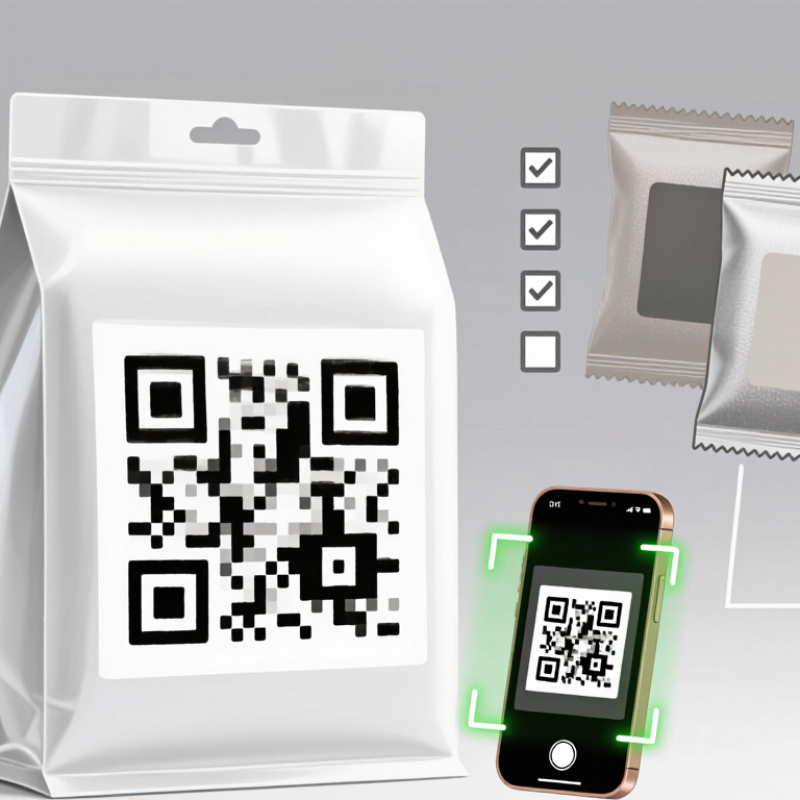
What QR Code Packaging Bags Are and How They Work
QR code packaging bags carry a square, machine-readable pattern printed on a pouch or bag. A phone camera reads it and opens information linked to the code, such as ingredients, care instructions, sourcing details, or a product webpage. The code may contain text directly, but it often points to a web address. With GS1 Digital Link, a single code can connect product identification to online information. A quick scan.
The bag becomes a bridge between the shelf and a digital page. This can help shoppers find details without crowding the printed design. McKinsey’s 2021 Next in Personalization report found that 71% of consumers expect personalized interactions, while 76% feel frustrated when they do not receive them. That research covers customer experiences broadly, not QR packaging specifically, but it signals why useful, relevant digital content matters. A QR code alone does not guarantee trust. If the page loads slowly, looks outdated, or hides basic details, the scan may disappoint.
Tips: Print the code on a flat, high-contrast area, away from seams, folds, and glossy glare. Test it on the finished bag, not just a screen. Keep essential product information readable on the package, too. Links can break. That part is easy to overlook. Keep the landing page mobile-friendly, current, and clear about what shoppers will find before they scan.
How to Choose QR Code Packaging Bags?
QR codes on packaging bags can link shoppers to product details, instructions, or other online information. Choose an error-correction level that suits the expected risk of printing defects or surface damage.
QR code error correction can restore approximately the stated share of damaged codewords. These percentages do not represent the proportion of the printed symbol’s area that can be covered or damaged. Higher correction levels add data overhead, so test the printed code on the actual bag material and under real scanning conditions.
Identify the Information and Functions Your QR Code Must Provide
Start by defining what a customer should get after scanning the QR code. They may need cooking instructions, material details, recycling guidance, or a way to contact support. Choose one main purpose, then add only useful secondary information. A QR code is not a tiny brochure. It should lead to a clear mobile page, not a crowded wall of text.
Decide whether the code needs to show a fixed page or support updates over time. For example, a batch-specific page may help customers check production details, while a product page can hold instructions in several languages. Keep the destination stable and easy to navigate. It is tempting to include every detail, but more content can make the useful answer harder to find. That trade-off deserves a second look.
Tips: Print a sample on the actual bag material. Scan it under ordinary indoor light, near seams and folds, using more than one phone. Check that the code opens quickly and the text is readable. If scanning feels awkward, adjust the size or placement before ordering.
Choose a Bag Material and Surface That Supports Scanning
Choose a bag material and surface that supports scanning
A QR code is only useful when a phone can read it quickly. Matte, light-colored areas usually provide more reliable contrast than shiny or metallic finishes. Gloss can reflect overhead lights and hide parts of the pattern. Keep the code flat, away from seals, folds, and gussets. Small distortions matter.
Juniper Research’s 2022 QR Code Payments report projected 2.2 billion people would use QR-code payments by 2025. That forecast concerns payments, not packaging scans, but it signals growing familiarity with QR codes. For packaging, print quality still matters. Use a dark code on a light, opaque background, and preserve a clear margin around it. ISO/IEC 18004 specifies a quiet zone of at least four modules for QR symbols. Do not let graphics or text crowd that space.
Film bags can flex during filling and handling. Place the code on a broad, smooth panel, not across a seam or curved edge. On clear film, add a solid light-colored print patch behind the code; transparency can reduce contrast against changing contents. Test actual filled bags under warehouse lighting and with several phone cameras. Test them slightly wrinkled, too. A sample that scans perfectly on a flat desk may struggle on a moving, reflective bag. The first artwork proof is not enough.
Select QR Code Size, Placement, and Printing Method
Choosing QR code size starts with scan distance, not artwork. On a small pouch held in one hand, 25–30 mm wide is a practical starting point. Increase it if the surface curves, reflects light, or will be scanned from farther away. Leave a clear quiet zone around the code. Nearby text, seams, and graphics can interfere. Test the printed bag, not just a screen proof.
Placement matters just as much. Put the code on a flat panel that stays visible when the bag is filled or folded. Avoid gussets, zipper tracks, sharp creases, and areas that wrinkle during handling. Dark codes on light, matte backgrounds are often easier to scan. For short runs or frequent design changes, digital printing can be convenient; longer runs may suit flexographic printing. Ask for a printed sample, since inks and films can behave differently. A clean proof can still disappoint on a crinkled pouch.
Tips: Scan filled bags under ordinary store lighting with several phones. Rub and bend the packaging, then scan again. If it fails, try a larger code or a different placement before revising the artwork.
How to Choose QR Code Packaging Bags? - Select QR Code Size, Placement, and Printing Method
| Packaging or Use Case | Suggested QR Symbol Size | Placement Guidance | Printing Method to Consider | Practical Checks |
| Small pouch scanned at close range | About 15–20 mm square, excluding the quiet zone | Use a flat, front-facing area away from side gussets, seals, and folds. | Digital printing for short runs or versions that change often; flexographic printing for repeat production runs. | Test the final printed bag with typical phones and lighting. Avoid reducing the code until it becomes difficult to scan reliably. |
| Standard retail bag scanned by a shopper | About 20–30 mm square, excluding the quiet zone | Place it on a visible front or back panel with enough surrounding space for a clear border. | Flexographic printing is commonly used for repeat flexible-packaging jobs; digital printing can suit shorter runs. | Keep the code clear of product imagery, text, and high-gloss reflections that could interfere with scanning. |
| Larger bag scanned from a greater distance | Increase the symbol size as scan distance increases; use distance ÷ 10 as an initial sizing estimate. | Choose a broad, flat panel that remains visible when the bag is filled or displayed. | Flexographic or gravure printing may be considered for longer production runs, depending on artwork, materials, and print requirements. | The distance-based estimate is only a starting point. Confirm performance with the finished packaging, intended phones, and expected lighting. |
| Bag with a curved, gusseted, or frequently creased surface | Use a size that remains readable when the bag is filled; a larger symbol may help. | Prefer the flattest panel. Keep the code away from gusset folds, edges, tear notches, and heat-seal areas. | Select a process compatible with the bag material and surface; approve a printed production sample before the full run. | Scan samples both empty and filled. Distortion, wrinkles, and placement over a fold can make a code harder to read. |
| Variable or frequently updated QR content | Choose the size based on scan distance and available flat space, then keep it consistent across versions. | Reserve a dedicated, uncluttered panel so the code position does not change between versions. | Digital printing can be useful for short runs or artwork changes. For variable codes on a finished bag, confirm that the chosen coding equipment works with the material. | Verify every artwork version and the destination URL before production. Use a stable, high-contrast code design. |
General QR-code checks: Keep a clear quiet zone at least four modules wide on every side of the symbol. This border is additional to the stated symbol size. Use strong contrast, avoid placing graphics inside the code, and test a production sample under realistic scanning conditions.
Test Scanability and Verify the Bag Meets Your Packaging Needs
A QR code that scans on a computer screen may behave differently on a flexible bag. Test it cold. Print several samples at the intended size and scan them with different phones. Try bright light, dim light, and a slight angle. Small details matter. Check that the code stays clear near seams, folds, and seal areas. Leave open space around the code, and avoid placing it where a hand naturally grips the bag. If the surface is glossy, glare may slow scanning; test under ordinary store or home lighting.
In practice, one successful scan can be misleading. Fill the bag with the intended product, close it, and scan again after handling it. Check whether wrinkles, bulging, or a curved surface distort the code. Then verify the bag itself: confirm its dimensions, material strength, barrier needs, and sealing performance suit the product and shipping conditions. For instance, a dry snack and a moist product may need different protection. Ask the supplier for material details and sample bags, but judge the final printed, filled package—not just an empty mock-up. If scanning feels awkward, revise the code size or placement and test another sample. A small adjustment can help.